
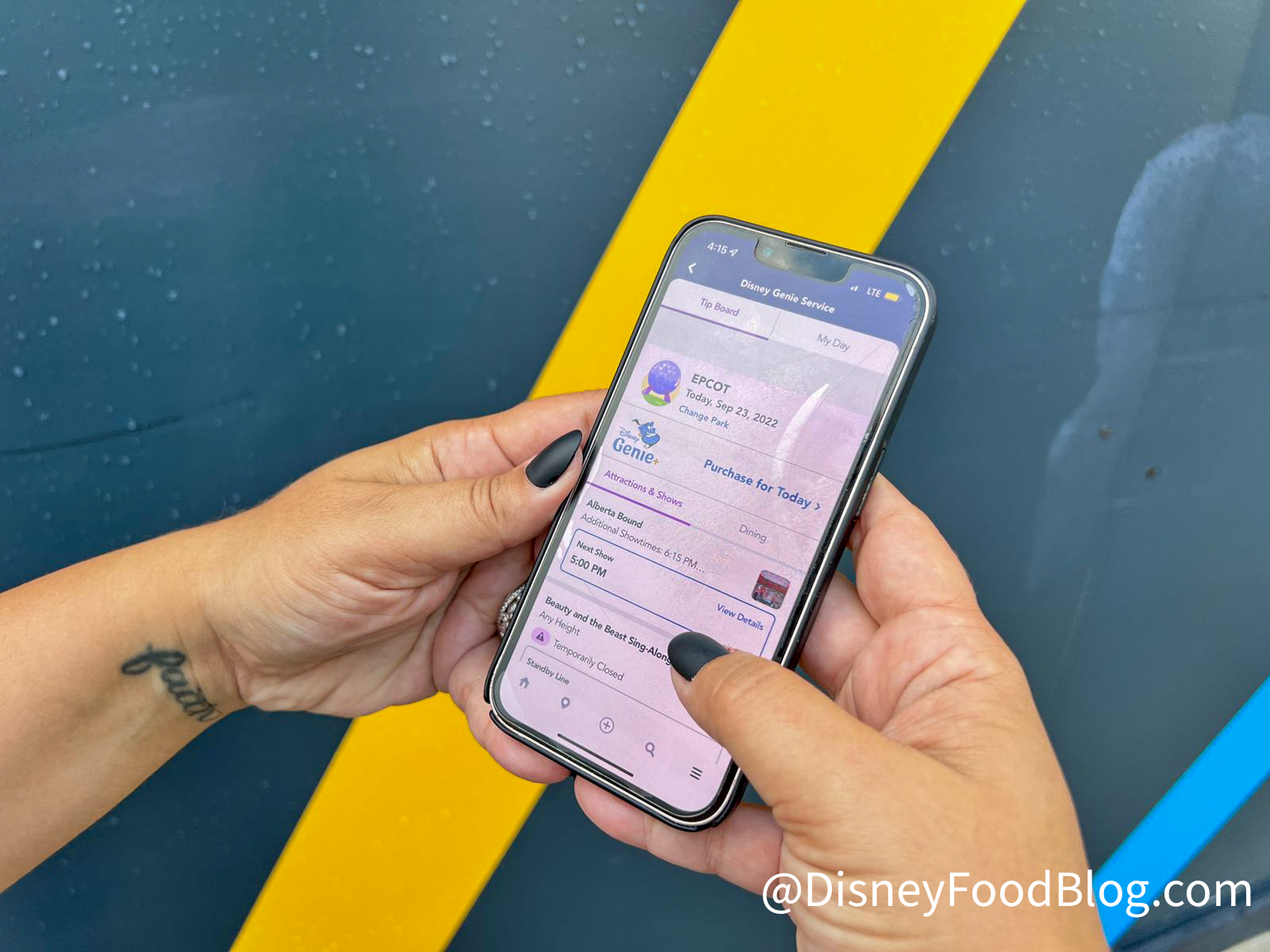
One of the first things we tell folks before they visit Disney World for the first time is to get familiar with the My Disney Experience app.
Using the My Disney Experience app
That’s because the My Disney Experience app is literally your key to Disney World (and the key to your Disney World hotel room). You’ll use the app for everything from mobile ordering food to getting into the parks to buying Genie+. But there’s one thing you MUST do BEFORE you ever step foot on Disney World property in the app.
If you are traveling to Disney World with friends and family, you MUST link all your accounts together in the app. That will allow you to share plans with everyone in your group, as well as book Lightning Lanes together, share dining reservations, sign up for virtual queues, and share PhotoPass photos.

Don’t forget to link your friends and family
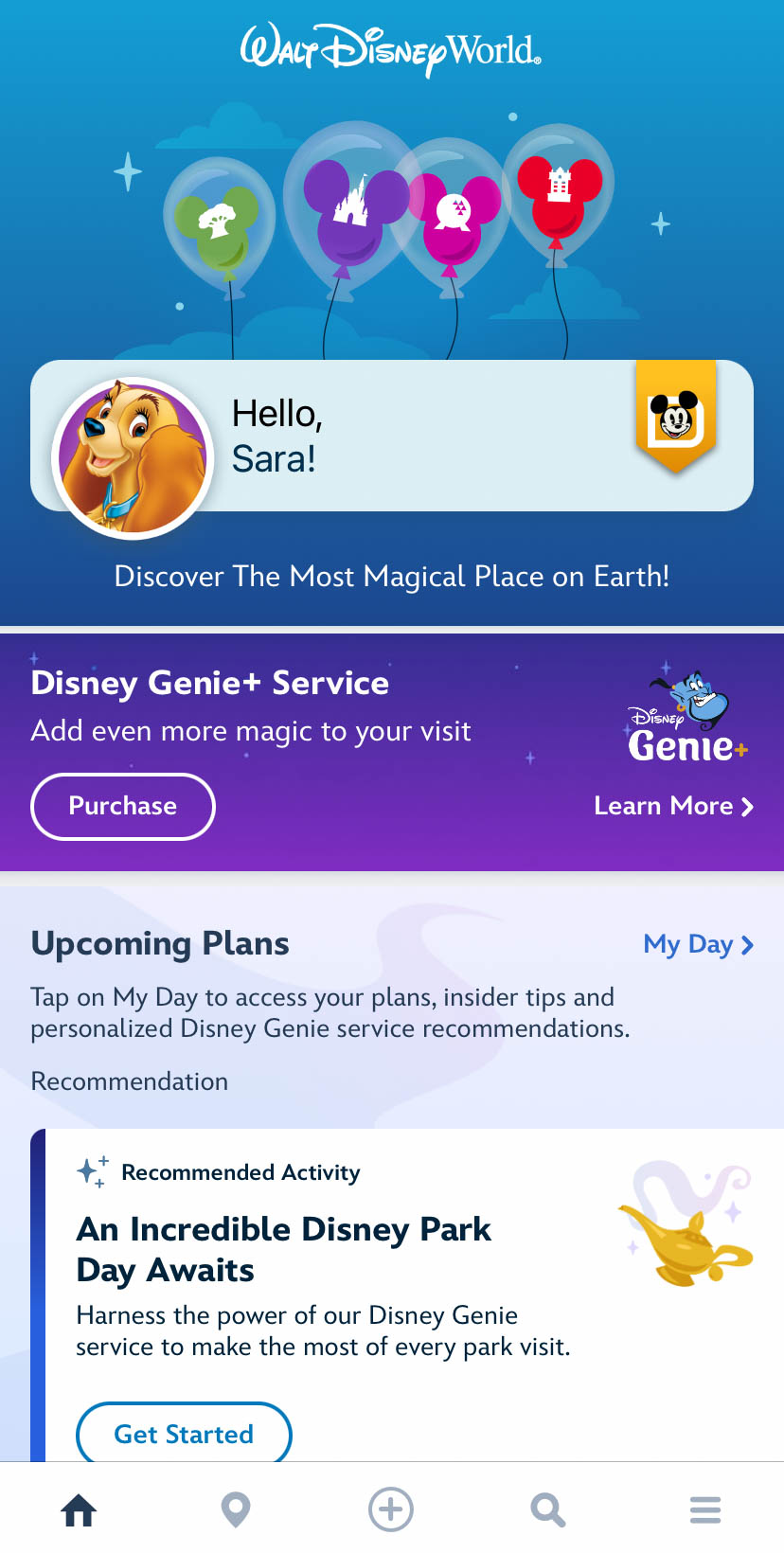
We’re going to tell you exactly how to do this. First, you’ll want to Open the My Disney Experience app and click on the three horizontal lines in the bottom right corner of the home screen.
©Disney
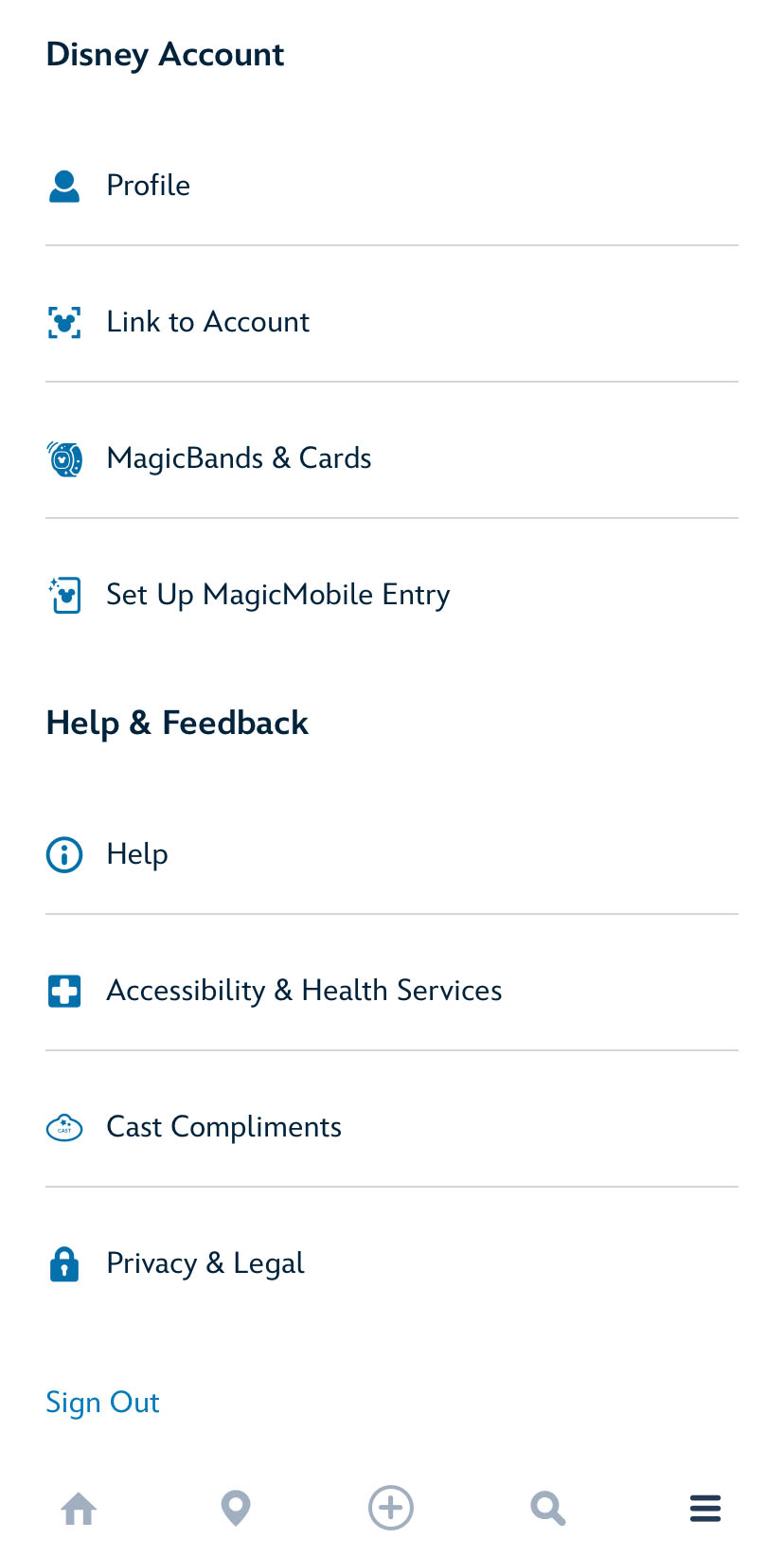
Scroll down a bit and choose “Profile.”
©Disney
Click on the tab that says “Family & Friends List.”

©Disney
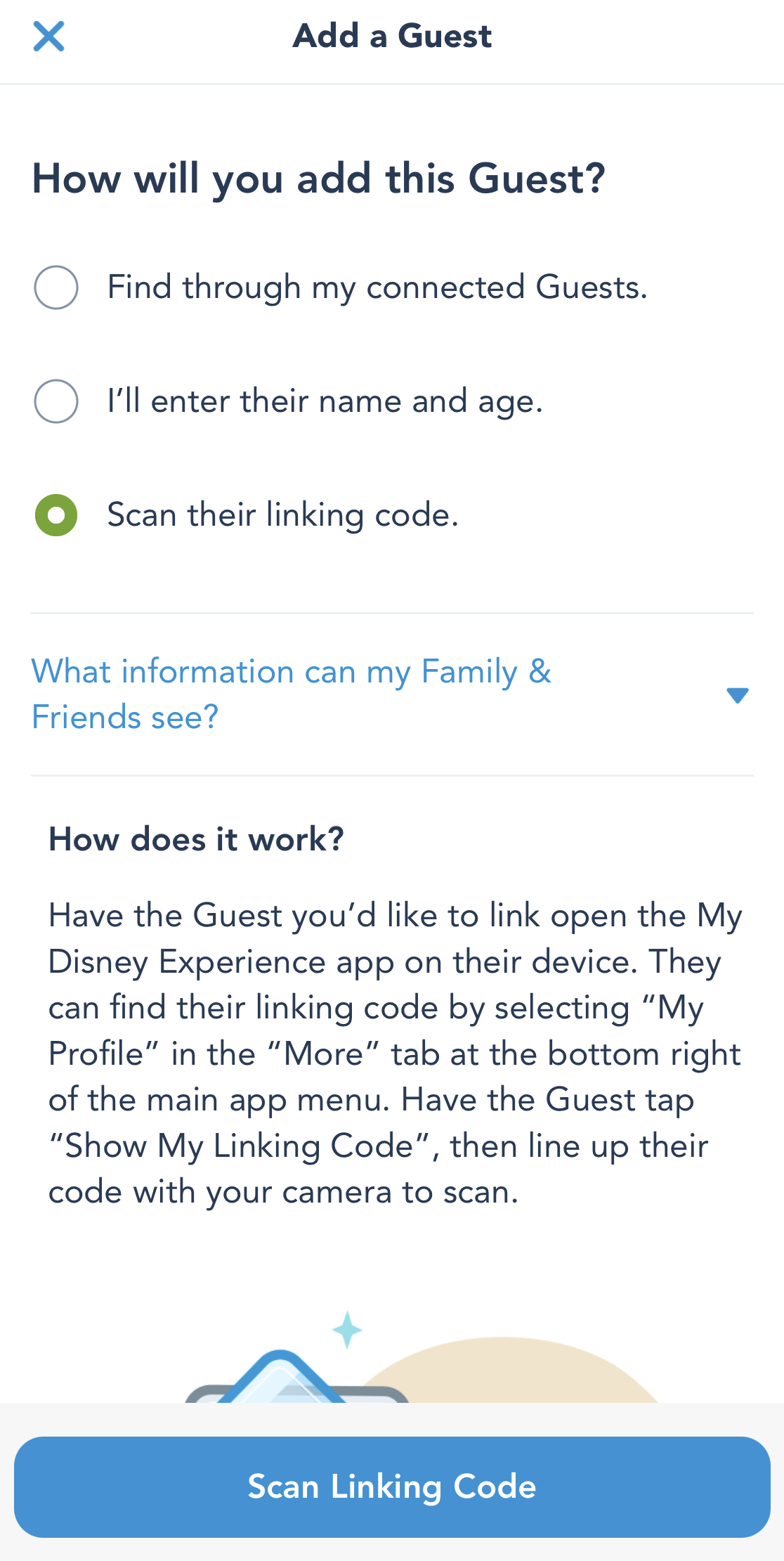
Scroll down and click on “Add a Guest.” You’ll be given several options. If you have guests already connected, you can find them through there. You can also scan their linking code (which can be found in the app). Or you can manually enter their name and age. Note that you must add their birthday if they’re under the age of 18. Once you’re done, click on “Add Guest” at the bottom. Scanning the linking code is probably the easiest way to link someone to your account.
©Disney
That’s it! Once you have everyone linked, you’ll be able to share all your plans and use the app as a group when you visit Disney World. That’s why you need to link everyone’s accounts before you leave for your trip.
Stay tuned to DFB for more Disney World tips!
Sneaky Disney World App Tricks That Will Make You Look Like a Genius
Join the DFB Newsletter to get all the breaking news right in your inbox! Click here to Subscribe!
WE KNOW DISNEY.
YOU CAN, TOO.
Oh boy, planning a Disney trip can be quite the adventure, and we totally get it! But fear not, dear friends, we compiled EVERYTHING you need (and the things to avoid!) to plan the ULTIMATE Disney vacation.
Whether you're a rookie or a seasoned pro, our insider tips and tricks will have you exploring the parks like never before. So come along with us, and get planning your most magical vacation ever!
What’s your best thing to remember when it comes to the My Disney Experience app before a trip? Let us know in the comments!
 Our handy (and portable!) ebook guides make sure you get the best deals and can plan a vacation of a lifetime.

TRENDING NOW
Don't miss the biggest news drops from Disney this week!
Magic Kingdom isn't known for the best restaurants around Disney World, and we have to...
This Magic Kingdom store looks totally different!
These Disney World souvenirs are about to be rare soon.
Quit clowning around! Universal's Halloween Horror Night's theme is here!
You need to see the new Regal View Restaurant & Lounge in Disneyland Paris.
A lot of new Disney movies are coming out within the next few years, but...
Some changes have come to a popular Disney hotel.
We're LIVE at Disneyland Paris to show you a sneak peek of Disney Adventure World!
Millennials, we love you, but Disney's gotta get rid of these 4 millennial trends ASAP!
What did this week's wait times look like this week?
Disney World restaurants changed this week!
We're comparing Art of Animation to Pop Century Resort to help you decide which you...
We just rode the brand new 'Tangled' ride, and we'll be dreaming about this moment...
Dining in Disney World can be stressful when dealing with dietary restrictions so here is...
Get ready to spend your whole paycheck on these new Disney souvenirs.
Watch out -- not ALL restaurants on Disney World property accept the Dining Plan credits!...
Disney World is building a new hotel... and not everyone is excited.
Disney World made a change at Pop Century Resort that we're still feeling salty about.
These Disney World hotels present problems in 2026.